How to Choose an Image Format for a Logo
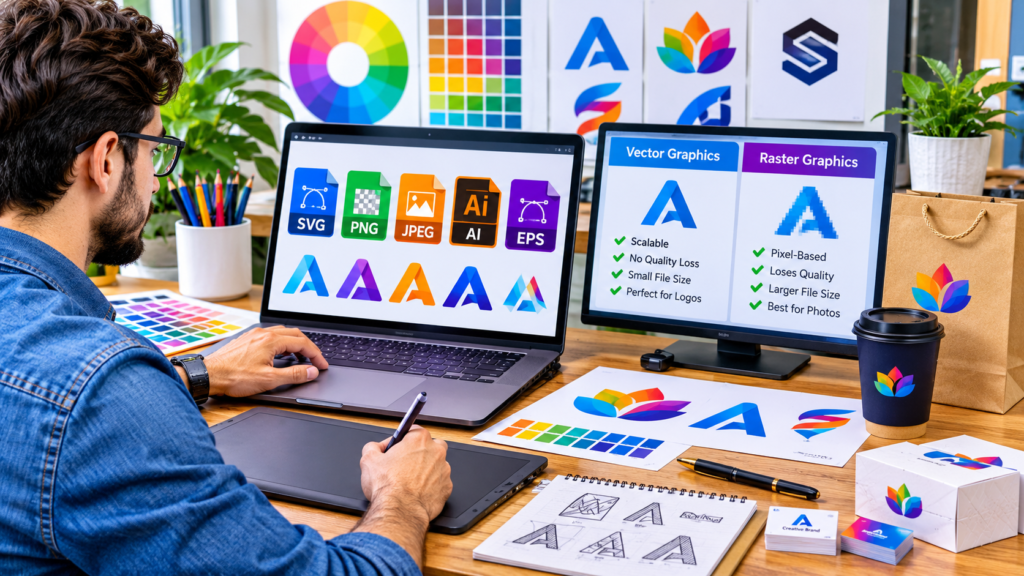
Choosing the right image format for a logo depends on how and where the logo will be used. In most cases, vector formats such as SVG, AI, or EPS are the best choice because they can be resized without losing quality. For websites, SVG is usually ideal, while PNG works well when a transparent background is needed. JPEG should generally be avoided for logos unless file compatibility is the primary concern.
Understanding the differences between logo file formats helps prevent blurry images, printing problems, and unnecessary redesigns. Whether you’re creating a logo for a website, social media profile, business card, product packaging, or large billboard, the format you choose directly affects quality and usability.
Why Logo File Formats Matter
A logo is a core part of a brand’s identity. Unlike photographs, logos often contain sharp lines, text, and simple shapes that need to remain crisp at every size.
The wrong format can create problems such as:
- Pix-elation when enlarging the logo
- Blurry text and edges
- Poor print quality
- Large file sizes
- Background transparency issues
- Limited compatibility with design software
Choosing the correct format from the start ensures the logo looks professional across digital and print materials.
Understanding the Two Main Types of Logo Files
Before choosing a format, it’s important to understand the difference between vector and raster graphics.
Vector Formats
Vector graphics are created using mathematical paths rather than pixels.
Advantages:
- Infinite scalability
- Sharp at any size
- Ideal for professional printing
- Easier to edit
- Smaller file sizes for simple graphics
Common vector formats:
- SVG
- AI
- EPS
- PDF (vector version)
Raster Formats
Raster graphics are made of pixels arranged in a grid.
Advantages:
- Widely supported
- Easy to use online
- Suitable for detailed images and photos
Disadvantages:
- Lose quality when enlarged
- Fixed resolution
Common raster formats:
- PNG
- JPEG/JPG
- GIF
- WebP
For logo design, vector formats are generally preferred because logos must often be used at many different sizes.
Logo Image Formats Explained
SVG (Salable Vector Graphics)
SVG is one of the most versatile logo formats available today.
Best For
- Websites
- Mobile applications
- Responsive design
- User interfaces
- Digital branding
Advantages
- Perfect scaling without quality loss
- Small file sizes
- Transparent backgrounds
- Fast loading
- Easy customization through code
Limitations
- Not ideal for some older software and legacy systems
- May require conversion for certain print workflows
If you need a logo for a modern website, SVG is often the best choice.
PNG (Portable Network Graphics)
PNG is one of the most commonly used logo formats online.
Best For
- Websites
- Social media
- Email signatures
- Presentations
- Transparent-background logos
Advantages
- Supports transparency
- High-quality appearance
- Broad compatibility
- Easy to share
Limitations
- Cannot scale indefinitely
- File sizes can be larger than SVG
A transparent PNG is often the standard format companies provide for everyday business use.
JPEG (JPG)
JPEG is designed primarily for photographs rather than logos.
Best For
- Situations where transparency is unnecessary
- Simple web uploads requiring universal support
Advantages
- Small file sizes
- Universal compatibility
Limitations
- Lossy compression reduces quality
- No transparent backgrounds
- Text and lines may appear blurred after repeated editing
JPEG should generally be a secondary option rather than the primary logo format.
AI (Adobe Illustrator)
AI is Adobe Illustrator’s native file format and is considered a master design file.
Best For
- Logo creation
- Professional editing
- Branding projects
Advantages
- Fully editable
- Retains layers and design elements
- Supports vector graphics
- Ideal for future modifications
Limitations
- Requires specialized software
- Not suitable for direct website use
Businesses should keep the original AI file whenever possible because it serves as the source for creating all other logo formats.
EPS (Encapsulated PostScript)
EPS has long been a standard for professional printing.
Best For
- Print shops
- Promotional products
- Large-format printing
Advantages
- Vector scalability
- Excellent print quality
- Broad support in professional design environments
Limitations
- Less useful for websites
- Can be complex for non-designers
Many printers still request EPS files for high-quality production.
PDF can store both vector and raster graphics.
Best For
- Sharing logo files
- Print approvals
- Client hand-offs
Advantages
- Easy viewing
- Platform-independent
- Can preserve vector quality
Limitations
- Not designed specifically for web display
- Editing may require specialized software
A vector PDF is often useful when sending logos to vendors or stakeholders.
WebP
WebP is a modern image format designed for web performance.
Best For
- Fast-loading websites
- Optimized digital experiences
Advantages
- Excellent compression
- Smaller file sizes
- Supports transparency
Limitations
- Not widely used as a master logo format
- Less common in design workflows
WebP can be a useful delivery format for websites but should not replace original vector files.
Quick Comparison Table
| Format | Type | Scalability | Transparency | Best Use |
|---|---|---|---|---|
| SVG | Vector | Unlimited | Yes | Websites and apps |
| AI | Vector | Unlimited | Yes | Original design files |
| EPS | Vector | Unlimited | Yes | Professional printing |
| Vector/Raster | Usually unlimited | Yes | File sharing and print | |
| PNG | Raster | Limited | Yes | Web and social media |
| JPEG | Raster | Limited | No | General image compatibility |
| WebP | Raster | Limited | Yes | Optimized websites |
How to Choose the Right Format Based on Usage
For Websites
Recommended:
- SVG as the primary format
- PNG as a backup
SVG provides sharp rendering across all screen sizes and devices while keeping file sizes small.
For Social Media
Recommended:
- PNG
Social media platforms often resize profile pictures and graphics. PNG helps maintain clarity and supports transparent backgrounds.
For Printing
Recommended:
- AI
- EPS
- Vector PDF
Professional printing requires the flexibility and precision of vector graphics.
For Merchandise and Promotional Products
Recommended:
- EPS
- AI
- SVG (when accepted)
These formats ensure logos remain sharp on products such as:
- T-shirts
- Pens
- Packaging
- Signs
- Banners
For Email Signatures
Recommended:
- PNG
PNG files provide reliable appearance across most email clients.
For Mobile Applications
Recommended:
- SVG for development workflows
- PNG for compatibility purposes
This combination provides quality and flexibility.
A Practical Example
Imagine a startup receives a logo from a designer.
The company receives:
- logo.ai
- logo.svg
- logo.eps
- logo.pdf
- logo.png
- logo.jpg
Here’s how each file might be used:
| File | Purpose |
|---|---|
| logo.ai | Original editable design |
| logo.svg | Website header |
| logo.eps | Commercial printing |
| logo.pdf | Sharing with vendors |
| logo.png | Social media and presentations |
| logo.jpg | General compatibility needs |
This method creates a complete logo package suitable for almost every situation.
Common Mistakes When Choosing Logo Formats
Using JPEG as the Master Logo File
Many businesses keep only a JPEG copy.
This creates problems because JPEG compression can reduce quality and the file cannot scale effectively.
Instead, always save the original vector version.
Ignoring Transparency
A white box around a logo often appears because the file lacks transparency.
Use PNG or SVG when transparent backgrounds are required.
Enlarging Small Raster Images
Up-scaling a small PNG or JPEG usually produces blurred edges and visible pixels.
Always start with vector artwork when possible.
Deleting Source Files
Some organizations save only exported images and discard design files.
Keeping AI, EPS, or SVG files allows future revisions without recreating the logo from scratch.
Using a Single Format Everywhere
Different situations require different formats.
A logo file suitable for a website may not meet a printer’s requirements.
Maintaining multiple versions prevents compatibility issues.
Essential Logo Formats Every Business Should Have
Ideally, every brand should maintain the following files:
Master Files
- AI
- SVG
Print Files
- EPS
- Vector PDF
Digital Files
- PNG (transparent)
- PNG (white background)
- WebP (optional)
Compatibility Files
- JPEG
This collection covers nearly every common use case.
How Resolution Affects Logo Quality
Resolution matters primarily for raster formats.
Common recommendations include:
- 300 DPI for printing
- 72–96 DPI for web display
However, vector files avoid resolution limitations because they scale mathematically rather than relying on pixel dimensions.
For this reason, maintaining a vector master file remains one of the best decisions a brand can make.
Frequently Asked Questions
What is the best image format for a logo?
SVG is generally the best format for digital use because it scales perfectly, remains sharp, and supports transparency. For printing, AI or EPS files are often preferred.
Is PNG better than JPEG for logos?
Yes. PNG supports transparency and preserves image quality more effectively than JPEG, making it a better choice for most logo applications.
Can I convert a JPEG logo into SVG?
You can convert it, but the results depend on the original image quality. A converted SVG may require manual editing to achieve professional results.
Do printers prefer SVG or EPS?
Many commercial printers still prefer EPS or vector PDF files, although some also accept SVG. Requirements vary by provider.
Which logo format should I send to a client?
A complete logo package should include AI, SVG, EPS, PNG, PDF, and JPEG formats so the client can use the logo across different platforms and applications.
Final Thoughts
Choosing an image format for a logo is less about finding a single “best” file type and more about matching the format to the intended use. Vector formats such as SVG, AI, and EPS provide the flexibility and quality needed for long-term branding, while PNG remains a practical option for everyday digital use.
A smart approach is to keep a vector master file, export PNG versions for online needs, and maintain print-ready formats for physical materials. With the right combination of files, your logo will stay sharp, professional, and adaptable wherever your brand appears.