Why Changing a File Extension Does Not Convert an Image
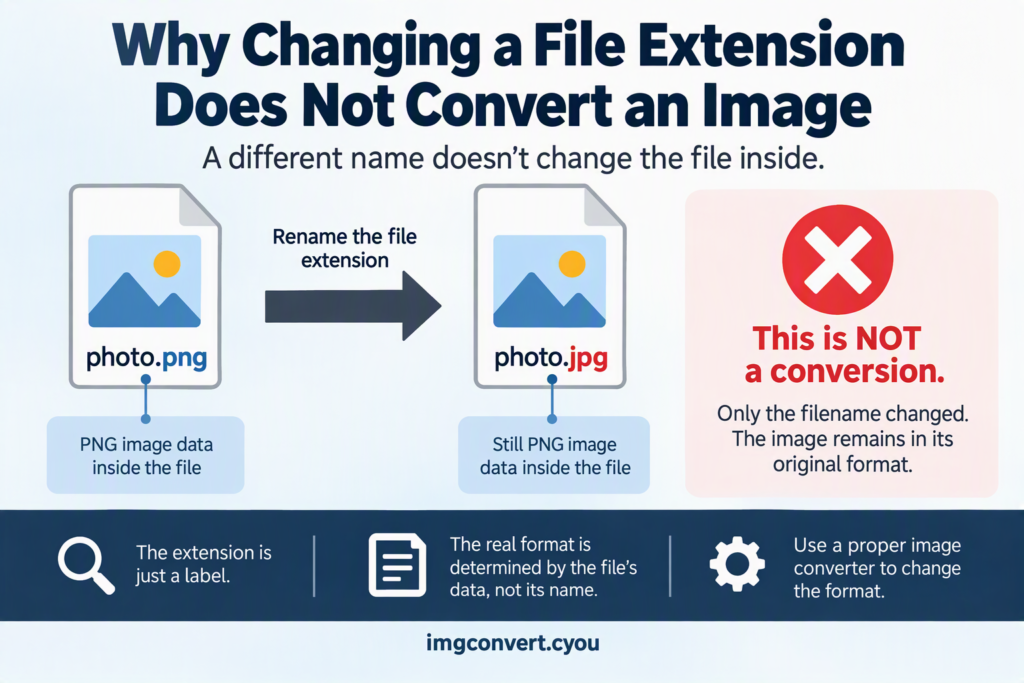
Simply renaming an image from .png to .jpg, or .gif to .webp, does not convert the image. It only changes the file’s label, not the actual data stored inside it. The image remains in its original format, and many programs will either refuse to open it or display errors because the file contents no longer match the extension.
Understanding why this happens can save you from corrupted files, compatibility issues, and unnecessary frustration. This article explains how image file formats work, what a file extension really does, and the correct way to convert images between formats.
What Is a File Extension?
A file extension is the part of a filename that appears after the period.
Examples:
photo.jpglogo.pnganimation.gifimage.webp
The extension helps operating systems and applications identify the type of file they are dealing with and decide which software should open it.
Think of an extension as a label on a box. The label tells you what’s supposed to be inside, but changing the label does not change the contents of the box.
For example:
- A
.jpgfile contains JPEG image data. - A
.pngfile contains PNG image data. - A
.giffile contains GIF image data.
If you rename image.png to image.jpg, the internal PNG data remains unchanged. Only the filename changes.
How Image Files Actually Work
Every image format follows its own rules for storing visual information.
Different formats use different:
- Compression methods
- Color information
- Transparency support
- Animation capabilities
- Metadata structures
Because of these differences, image formats are not interchangeable.
A PNG file contains a completely different internal structure from a JPEG file. Software recognizes this structure by reading the file’s binary data, not just the extension.
When an application opens a file, it typically checks both:
- The filename extension
- The file’s internal format signature
If these do not match, errors can occur.
The Hidden Signature Inside Every Image
Most file types contain a special sequence of bytes at the beginning called a file signature or magic number.
This signature identifies the true format of the file regardless of its name.
For example:
| Format | Typical Signature |
|---|---|
| JPEG | FF D8 FF |
| PNG | 89 50 4E 47 |
| GIF | GIF87a or GIF89a |
| WebP | RIFF WEBP |
Even if you rename:
vacation.png
to
vacation.jpg
the PNG signature remains unchanged.
Software that checks the file contents will still recognize it as a PNG image.
This is why changing an extension does not perform a real conversion.
What Happens When You Rename an Image Extension?
Several outcomes are possible.
The Image Opens Normally
Some image viewers ignore the extension and inspect the actual file data.
In this case:
- The image may still open.
- The application recognizes the true format.
- No conversion has occurred.
The Image Fails to Open
Other software relies heavily on the extension.
You may see messages such as:
- Unsupported file format
- Invalid image file
- Cannot read file
- Corrupted image
The contents are still intact, but the software is confused by the mismatch.
The Image Opens Incorrectly
Some applications attempt to read the file according to the extension instead of the internal structure.
This can result in:
- Display errors
- Missing image information
- Failed imports
- Broken processing workflows
A Simple Real-World Example
Imagine you have:
picture.png
You rename it to:
picture.jpg
At first glance, it looks like a JPEG image because of the extension.
However:
- The PNG compression remains.
- PNG transparency remains.
- PNG headers remain.
- PNG metadata remains.
Nothing inside the file changes.
It’s similar to placing an “Orange Juice” label on a bottle of water. The label changed, but the contents did not.
What a Real Image Conversion Does
Proper image conversion changes the internal structure of the file.
During conversion, software:
- Reads the original image data.
- Decodes the image.
- Rebuilds it using the target format’s specifications.
- Saves a new file.
For example, converting PNG to JPEG requires:
- Reading PNG image information.
- Removing alpha transparency if necessary.
- Applying JPEG compression.
- Writing JPEG-compatible data structures.
The newly created file becomes a genuine JPEG file.
Both the filename extension and the internal file data now match.
PNG vs JPEG: Why Renaming Is Not Enough
PNG and JPEG serve different purposes.
PNG Features
- Lossless compression
- Transparency support
- Sharp text and graphics
- Larger file sizes
JPEG Features
- Lossy compression
- Smaller file sizes
- Ideal for photographs
- No transparency support
Because the formats store image data differently, changing:
graphic.png
to
graphic.jpg
cannot magically remove transparency or apply JPEG compression.
Only a proper conversion process can do that.
Common Misconceptions About File Extensions
Misconception 1: The Extension Defines the File
Many people assume the extension creates the format.
In reality, the data inside the file determines the format.
The extension is merely an identifier.
Misconception 2: Renaming Saves Storage Space
Some users rename large PNG files to JPG hoping to reduce file size.
This does nothing.
Storage size remains virtually identical because the image data has not changed.
Misconception 3: Websites Cannot Tell the Difference
Modern websites, browsers, and applications often inspect the actual file structure.
Renaming a PNG to JPG usually does not fool these systems.
Misconception 4: The File Has Been Converted Because It Opens
Some applications automatically detect the true format.
Just because a renamed image opens successfully does not mean conversion occurred.
Why Proper Conversion Matters
Real conversion ensures compatibility.
Different platforms have different requirements.
Examples include:
| Use Case | Preferred Format |
|---|---|
| Photos | JPEG |
| Transparent graphics | PNG |
| Modern websites | WebP |
| Simple animations | GIF |
| Professional editing | TIFF |
| Social media uploads | JPEG or PNG |
Submitting a mislabeled image may cause:
- Upload failures
- Printing errors
- Website issues
- Editing problems
- Software incompatibility
Using the correct conversion method prevents these issues.
How to Properly Convert an Image
Instead of renaming the extension, use an actual image converter.
The process is generally simple.
Method 1: Online Image Converter
Many web-based tools allow image conversion.
Typical steps:
- Upload your image.
- Select the target format.
- Convert the file.
- Download the new image.
The converter rebuilds the image using the correct format specifications.
Method 2: Built-In Operating System Tools
Most devices include image editing tools.
For example:
- Windows Photos
- Paint
- Preview on macOS
You can usually:
- Open the image.
- Choose Save As.
- Select a different format.
- Save the new file.
Method 3: Professional Graphics Software
Applications such as:
- Adobe Photoshop
- Affinity Photo
- GIMP
offer advanced export settings and format optimization options.
These programs perform genuine conversions and allow control over quality and compression.
Converting vs Renaming: Side-by-Side Comparison
| Action | Rename Extension | Convert Image |
|---|---|---|
| Changes filename | Yes | Usually |
| Changes internal format | No | Yes |
| Compresses data | No | Yes, if applicable |
| Removes transparency | No | Can |
| Improves compatibility | No | Yes |
| Changes file structure | No | Yes |
| Creates true target format | No | Yes |
This distinction is the key reason why renaming cannot replace conversion.
When Renaming Extensions Is Actually Useful
There are situations where renaming file extensions serves a purpose.
For example:
- Correcting a mistaken extension.
- Fixing downloaded files with missing extensions.
- Matching a format already stored inside the file.
Suppose a PNG file was accidentally saved as:
image.dat
If you verify that the contents are really PNG data, renaming it to:
image.png
can help software recognize the file correctly.
In this case, you are not converting anything. You are simply restoring the correct label.
Can Renaming Ever Damage an Image?
Usually, renaming alone does not alter the file data.
The original image information stays intact.
However, problems can arise when:
- Software refuses to read the file.
- Upload systems reject it.
- Automated workflows fail.
- Other users become confused about the file type.
In these situations, restoring the original extension generally resolves the issue.
The image itself is typically unharmed because the internal data was never modified.
Why Some People Think Renaming Works
The confusion often comes from software that automatically detects the true image format.
For example:
- A user renames
photo.pngtophoto.jpg. - The image viewer still opens it.
- The user assumes conversion happened.
What actually happened is:
- The software ignored the extension.
- It inspected the PNG signature.
- It recognized the image as PNG.
- It displayed the file anyway.
The image never became a JPEG.
The application simply compensated for the incorrect filename.
Frequently Asked Questions
Can I convert PNG to JPG by just renaming the file?
No. Renaming only changes the filename. The image data remains PNG data.
Why does my renamed image still open?
Some applications identify the true format from the file contents instead of relying solely on the extension.
Does renaming an image reduce its file size?
No. File size remains essentially unchanged because the image itself has not been recompressed.
Will websites accept a renamed image?
Some might, but many platforms verify the actual image format and may reject files with mismatched extensions.
Is converting the same as changing a filename?
No. Conversion rewrites image data into a new format. Renaming only changes the text at the end of the file name.
The Bottom Line
Changing a file extension does not convert an image because the file’s internal data remains exactly the same. A PNG renamed as JPG is still a PNG, and a GIF renamed as WebP remains a GIF. The extension is only a label, while the true file format is determined by the structure and data stored inside the file.
Whenever you need a different image format, use a proper conversion tool rather than simply renaming the file. A real conversion rewrites the image according to the target format’s rules, ensuring compatibility, correct compression, and reliable results across devices, applications, and websites.