Does Converting JPG to PNG Improve Image Quality?
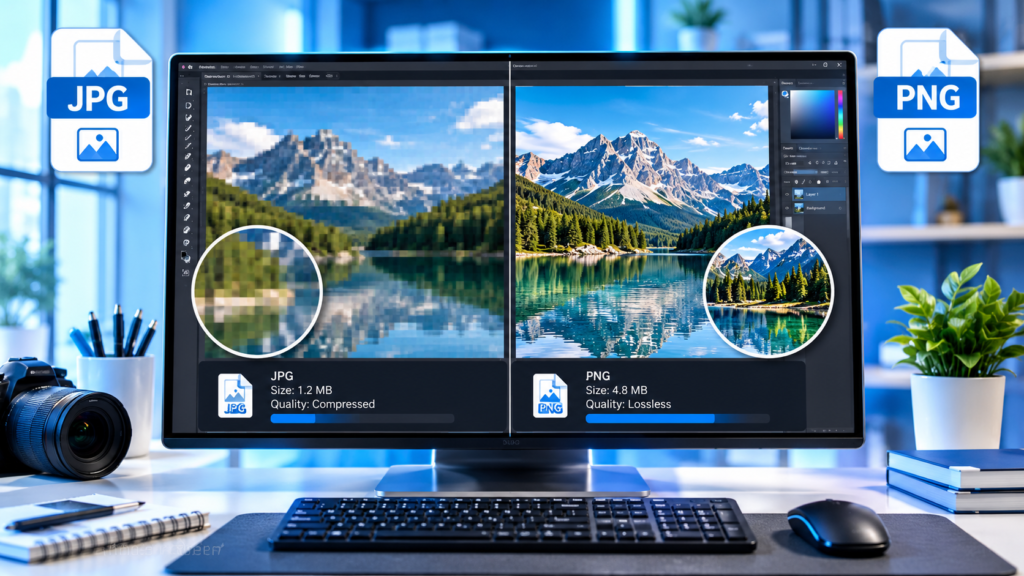
The short answer is no, converting a JPG to PNG does not improve image quality. Once a JPG image has been compressed and some image data has been discarded, that lost information cannot be recovered simply by saving the file in PNG format. The image may become larger in file size, but it will not magically gain more detail, sharpness, or clarity.
However, there are situations where converting a JPG to PNG makes sense. Understanding the differences between these formats can help you choose the right one and avoid common mistakes.
Understanding JPG and PNG File Formats
Before answering whether conversion improves quality, it’s important to understand what these formats actually do.
What Is JPG?
JPG (or JPEG) is one of the most widely used image formats on the web and in digital photography.
Its biggest advantage is efficient compression. JPG files use lossy compression, which means some image data is permanently removed to reduce file size.
Benefits of JPG include:
- Small file sizes
- Fast loading times
- Broad compatibility
- Ideal for photographs and web images
The drawback is that every time a JPG is compressed, some image quality is sacrificed.
What Is PNG?
PNG stands for Portable Network Graphics. Unlike JPG, PNG uses lossless compression, meaning it preserves all image data when saved.
Benefits of PNG include:
- No quality loss during compression
- Support for transparent backgrounds
- Better handling of text, logos, and graphics
- Higher image fidelity after repeated saves
The trade-off is larger file sizes compared to JPG.
Why JPG-to-PNG Conversion Doesn’t Restore Quality
A common misconception is that converting a JPG into PNG somehow upgrades the image.
It doesn’t.
Think of a JPG like a photocopy of a document that has already lost some detail. Making another copy using better paper does not restore the missing information. The best you can do is preserve the current version.
When a JPG is created, the compression process removes some image data permanently. Converting that file to PNG only stores the existing pixels in a lossless format.
Example
Imagine you have:
- An original image: 10 MB
- Compressed JPG version: 2 MB
- Converted PNG version: 8 MB
The PNG may be much larger, but it still contains only the image information that remained in the JPG.
The missing details from the original image are gone forever.
What Actually Happens During Conversion?
When you convert a JPG to PNG:
- The converter reads the JPG image.
- It decodes the compressed pixel data.
- The image is re-saved using PNG’s lossless compression.
The conversion process does not:
- Restore deleted pixels
- Increase resolution
- Add missing details
- Remove compression artifacts automatically
The image may look exactly the same before and after conversion.
In many cases, the only noticeable difference is the file size.
Can a PNG Look Better Than a JPG?
Sometimes people believe their converted PNG looks sharper.
Several factors may create this impression.
Viewer Software Differences
Different applications display images differently.
One image viewer may apply sharpening or scaling effects, making the PNG appear slightly different even though the underlying image data has not improved.
Repeated Editing
A PNG can preserve quality better during future editing.
For example:
- Edit a JPG ten times and save after each change
- Edit a PNG ten times and save after each change
The JPG may accumulate additional compression artifacts because each save introduces more lossy compression. The PNG preserves the image data throughout the editing process.
In this scenario, PNG maintains quality better going forward, but it does not improve the original JPG.
AI Enhancement Is Different
Some modern image editors use artificial intelligence tools to upscale photos, sharpen blur, or reduce noise.
These improvements come from AI processing, not from the format conversion itself.
You could save the enhanced image as PNG, but the quality increase would result from the enhancement algorithm, not the fact that the file became a PNG.
When Converting JPG to PNG Makes Sense
Although quality won’t improve, there are valid reasons to perform the conversion.
Preserving the Current Image During Editing
If you plan to make multiple edits, converting to PNG before starting can prevent further quality loss.
Once the image is a PNG, repeated saves won’t introduce additional compression artifacts.
Adding Transparency
PNG supports transparent backgrounds.
JPG does not.
If you’re removing a background from an image or creating logos and graphics with transparent areas, PNG becomes necessary.
Working With Graphics and Text
Screenshots, diagrams, charts, and logos often look better as PNG files because lossless compression preserves sharp edges and text.
For example:
- Website screenshots
- Infographics
- Company logos
- User interface designs
These elements can appear cleaner in PNG format.
Professional Design Work
Graphic designers often use PNG files while editing because they maintain consistent quality throughout the workflow.
The final output may later be exported as JPG for web use if smaller file sizes are required.
Situations Where Conversion Is Usually a Bad Idea
Not every image benefits from conversion.
Large Increase in File Size
One of the biggest disadvantages is storage efficiency.
A JPG photo may be 1 MB while the PNG version becomes 5 MB or larger.
If image quality remains unchanged, the extra storage space may not be worth it.
Slower Website Performance
Larger images can affect page loading speed.
For websites, unnecessarily converting photographs from JPG to PNG may:
- Increase bandwidth usage
- Slow page loading
- Affect user experience
- Potentially impact SEO performance
Photographic content is usually better kept in JPG or modern formats such as WebP when supported.
No Improvement for Existing Compression Artifacts
If a JPG already contains:
- Blockiness
- Noise
- Blurring
- Compression artifacts
Converting it to PNG will preserve those flaws rather than remove them.
JPG vs PNG: Quick Comparison
| Feature | JPG | PNG |
|---|---|---|
| Compression Type | Lossy | Lossless |
| File Size | Smaller | Larger |
| Photo Storage | Excellent | Usually inefficient |
| Transparency Support | No | Yes |
| Quality After Repeated Saves | Can degrade | Remains consistent |
| Logos and Graphics | Good | Excellent |
| Web Performance | Usually faster | Often slower due to size |
Common Myths About JPG to PNG Conversion
Myth 1: PNG Is Always Higher Quality
PNG is not automatically higher quality.
It simply uses a different compression method that preserves existing image data.
A low-quality JPG converted to PNG remains a low-quality image.
Myth 2: PNG Improves Resolution
Resolution depends on pixel dimensions.
For example:
- 1920 × 1080 JPG
- 1920 × 1080 PNG
The resolution remains exactly the same after conversion.
Myth 3: Larger Files Mean Better Images
A larger PNG file does not necessarily contain more visual information.
The larger size often results from storing the same image without lossy compression.
Myth 4: PNG Fixes Compression Artifacts
PNG preserves image quality going forward, but it cannot remove damage already present in the JPG.
Specialized editing or AI restoration tools may help reduce artifacts, but conversion alone will not.
How to Improve a Low-Quality JPG
If your goal is genuinely better image quality, converting formats is not the answer.
Consider these alternatives.
Find the Original Image
The best solution is obtaining the original file before JPG compression was applied.
Original files often contain:
- Higher detail
- Better color information
- Less noise
- Greater editing flexibility
Use AI Image Enhancement Tools
Modern AI software can:
- Upscale images
- Reduce noise
- Sharpen details
- Improve facial features
- Repair old photographs
While results vary, these tools can sometimes create noticeably better-looking images.
Increase Resolution Through Upscaling
Image upscaling software can generate additional pixels to create larger images.
Although this doesn’t recreate lost details perfectly, advanced algorithms can produce more realistic results than simple resizing.
Reduce Further Compression
If you must continue editing an image, save future versions in PNG or another lossless format to avoid introducing additional quality loss.
Best Format Choices for Different Use Cases
Choosing the correct format often matters more than converting between them.
Use JPG When:
- Storing photographs
- Publishing images on websites
- Sharing pictures online
- Keeping file sizes small
- Uploading large image collections
Use PNG When:
- Working with logos
- Creating graphics
- Using transparency
- Editing images multiple times
- Sharing screenshots and diagrams
Consider Modern Alternatives
Newer formats can offer advantages over both JPG and PNG in certain cases.
Examples include:
- WebP
- AVIF
- HEIC
These formats often provide better compression efficiency while maintaining high image quality.
Frequently Asked Questions
Does converting JPG to PNG make the image clearer?
No. The conversion preserves the current image but does not restore lost details or improve sharpness.
Why is my PNG file larger than the original JPG?
PNG stores image data using lossless compression, which often results in larger file sizes, especially for photographs.
Can I recover lost quality from a JPG?
Not through conversion alone. You would need the original image or use enhancement tools designed to improve image quality.
Should I convert JPG to PNG before editing?
In many cases, yes. Converting before extensive editing can help prevent additional quality loss during repeated saves.
Which format is better for website images?
For photographs, JPG or modern formats such as WebP are usually more efficient. PNG is often better for logos, screenshots, and graphics with text.
The Bottom Line
Converting a JPG to PNG does not improve image quality because the information lost during JPG compression cannot be recovered. The conversion simply stores the existing image in a lossless format, often resulting in a larger file without adding detail, sharpness, or resolution.
PNG is still valuable when you need transparency, plan to edit an image repeatedly, or work with graphics and text. For photographs, however, converting a compressed JPG to PNG is usually not worth the extra file size unless there is a specific workflow requirement.
Before converting, ask yourself what you’re trying to achieve. If the goal is better image quality, focus on obtaining the original image or using dedicated enhancement tools rather than relying on a file-format change alone.