JPG vs PNG vs WebP: Which Format Should You Choose?
Introduction
You have a photo, screenshot or logo ready to upload, but your computer gives you several ways to save it: JPG, PNG or WebP. Which one should you choose?
The answer depends on what the image contains and where you plan to use it. Choosing the wrong format can leave you with unnecessarily large files, blurry text or a logo with an unwanted background.
For most website photographs, WebP is a strong first choice because it often produces smaller files while maintaining good visual quality. JPG remains excellent for sharing photos and working with older software. PNG is particularly useful for screenshots, sharp graphics and images requiring transparency.
There is no single winner for every situation. Understanding a few simple differences will help you choose the right format without needing specialist knowledge.
What Are JPG, PNG and WebP?
JPG, PNG and WebP are digital image formats. They determine how a picture’s information is stored and compressed.
Compression reduces the amount of storage space an image needs. Some methods preserve the original pixel information exactly, while others remove information to create smaller files.
JPG: A practical format for photographs
JPG, also called JPEG, stands for Joint Photographic Experts Group.
It uses lossy compression, which removes some image information to reduce file size. At a suitable quality setting, these changes may be difficult to notice in ordinary photographs.
JPG works particularly well for pictures containing natural colours, shadows and gradual changes in brightness. Holiday photographs, food pictures and everyday phone photos are common examples.
However, JPG does not support transparent backgrounds. It can also create visible distortion around small text, diagrams and sharp graphic edges.
PNG: A reliable choice for sharp graphics
PNG stands for Portable Network Graphics.
Unlike conventional JPG, PNG uses lossless compression. This means the pixel information can be recovered without compression-related loss.
PNG is especially useful for screenshots, diagrams, graphics with text and logos that require transparent backgrounds.
Its main disadvantage is that detailed photographs saved as PNG can be considerably larger than equivalent JPG or WebP images.
WebP: A flexible format for modern websites
WebP is an image format developed by Google with web performance in mind.
It supports both lossy and lossless compression, as well as transparency and animation. This makes it suitable for photographs, website graphics and many other digital images.
WebP often produces smaller files than JPG or PNG at comparable visual quality, although the actual saving depends on the image and compression settings.
Modern browsers widely support WebP, but some older software and specialised workflows may still prefer JPG or PNG.
These differences are explained further in the MDN image format guide.
JPG vs PNG vs WebP: Quick Comparison
The following table summarises the most useful differences.
| Feature | JPG | PNG | WebP |
|---|---|---|---|
| Compression | Lossy | Lossless | Lossy or lossless |
| File size | Often small | Often larger for photos | Often smaller |
| Transparency | No | Yes | Yes |
| Image quality | Depends on compression | Preserves pixel data | Depends on mode |
| Photographs | Excellent | Less efficient | Excellent |
| Screenshots | Can blur text | Excellent | Excellent in lossless mode |
| Logos | Limited | Excellent | Good |
| Animation | No | APNG variant | Yes |
| Compatibility | Very broad | Very broad | Broad in modern browsers |
These are general tendencies, not guaranteed results. A heavily compressed JPG may be smaller than a high-quality WebP, and a simple PNG graphic may already be extremely efficient.
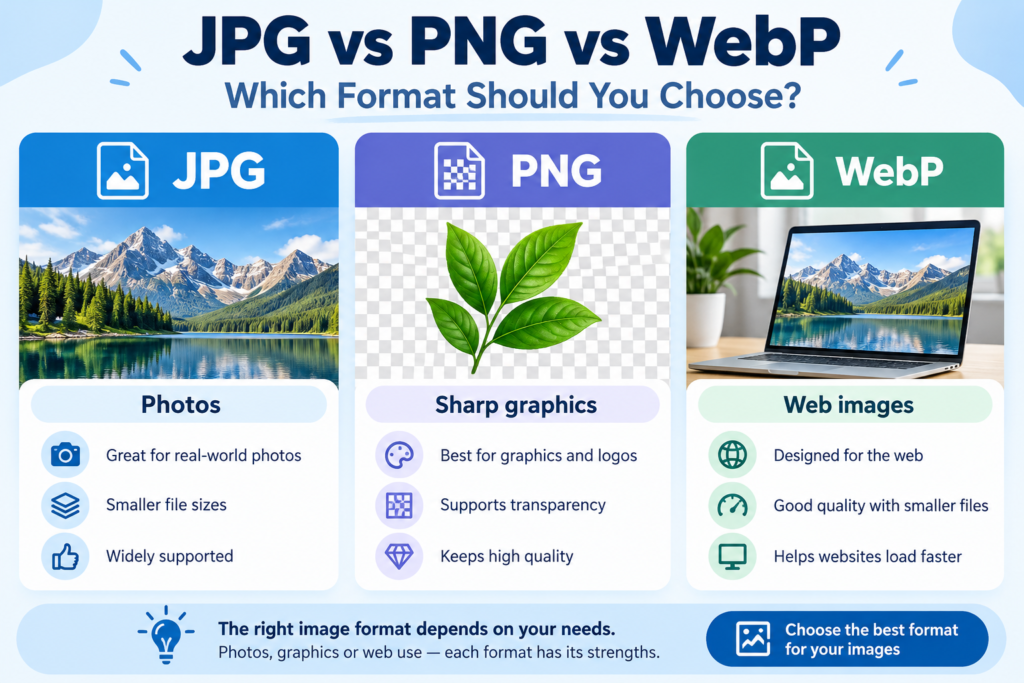
The best choice depends on the actual image, not merely its file extension.Image 1 — Featured comparison graphic. Suggested alt text: “JPG, PNG and WebP compared for photographs, graphics and website images.”
Which Image Format Has the Best Quality?
Image quality is one of the most misunderstood parts of this comparison.
A larger file does not automatically mean a better-looking picture. The original image, its resolution, compression settings and intended display size all matter.
For example, a well-compressed WebP photograph may look almost identical to a larger JPG. Meanwhile, a PNG screenshot may look much clearer than a JPG screenshot because it preserves the sharp edges around letters.
Lossy versus lossless compression
Lossy compression removes some information to reduce file size. JPG always uses lossy compression, while WebP offers both lossy and lossless options.
Lossless compression preserves the pixel information represented in the file. PNG uses this approach.
Consider a hypothetical image containing a small black sentence on a white background. Saving it as a heavily compressed JPG may introduce fuzzy edges around the letters. Saving the same image as PNG should preserve those edges exactly.
For a landscape photograph, the difference may be much less noticeable.
If preserving exact pixel information is important, choose PNG or lossless WebP. If the image is intended for ordinary web viewing, a carefully compressed JPG or lossy WebP may be more practical.